Skip to content
j777jeep App / Casino
LIVE LOBBY

j777jeep — Cricket Betting, Live Casino and Slots in One Lobby

Cricket betting markets, slot rooms from studios like PG Soft and CQ9, and live casino tables sit inside a single account — accessible from any mobile browser using Nagad, Rocket or Bank Transfer. Availability depends on your local law and eligible region.

bKash Nagad Rocket
Browse games
CONTENT / 01

Titles Worth Opening First in the Lobby

The lobby organises games into categories you can scan quickly: slots, live casino, table games and crash games each have their own rail. Cricket PowerPlay sits inside the sports betting section and is one of the categories we see accounts return to most during IPL and BPL sea

  • Cricket PowerPlay

    Available in the sports betting section. Market depth is visible after you open the sports tab. No separate account needed.

  • Slot Bonanza

    Slots rail. RTP shown only where the studio exposes it — check the game screen for the current figure before you start.

  • Rickshaw Art Prize

    Slots rail, prize-style feature mechanic. The game card shows studio label and any published RTP figure directly.

  • Roulette Action

    Live casino section. Table limits are displayed on the lobby card before you enter the room.

  • Crash HotSpin

    Crash games category. Suits sessions where you want a clear exit point; round history is shown in the game panel.

  • Football Goalrush

    Sports section alongside Cricket PowerPlay. Market availability depends on fixture schedule shown in the sports tab.

ACCOUNT START STEPS

How to Open and Verify Your j777jeep Account

Starting your account takes a few clear steps that you complete inside the registration flow. First, open the account page and fill in your details exactly as they appear on your national ID — this matters for wallet verification later. After submitting the registration form, a verification step will follow where you may be asked to upload a clear photograph of your national ID document. Once the document is reviewed and your identity is confirmed, your wallet becomes fully active and you can link your preferred payment method directly from the dashboard. If any detail you entered does not match the document, the system will prompt you to correct it before the account moves forward.

  1. Register

    Open the account creation page, enter your details accurately and choose a password you keep private.

  2. Link Wallet

    Connect Nagad, Rocket or set up Bank Transfer through the wallet section of your account dashboard.

  3. Verify

    Complete the identity check shown in your account. The screen lists exactly which documents are accepted.

  4. Start Playing

    Once verified, your wallet balance is live. Open the lobby to browse cricket betting markets or slot rooms.

MEMBER DESK / 06

Offers, support and account controls

01

Game lobby

02

Payment guide

03

Support

MOBILE ACCOUNT ACCESS

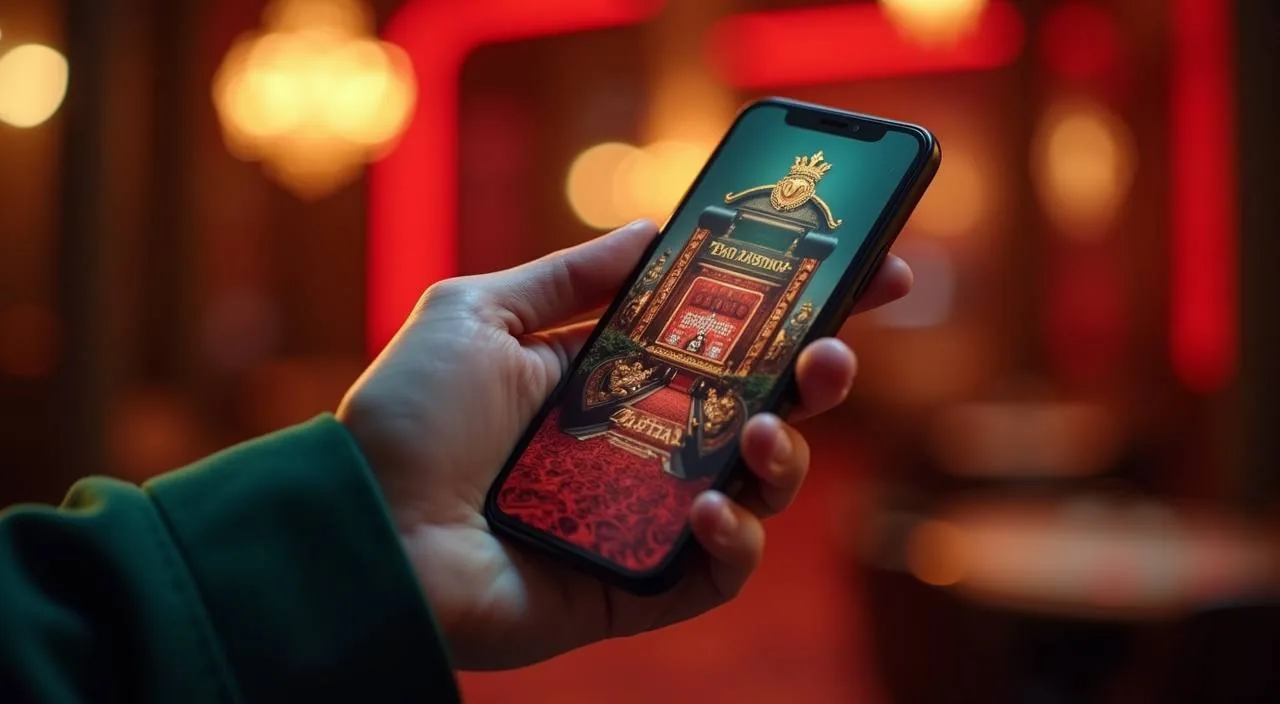
The Full Lobby Works from Your Phone Browser

There is no separate download required. Open j777jeep from any Android or iOS browser and the layout adjusts to your screen automatically — the navigation rail, wallet balance and lobby categories all stay visible without horizontal scrolling. When you return to j777jeep on a mobile browser, your session picks up where you left off — your wallet state and any open category filters are retained. Tapping the menu icon from any page brings you back to the main lobby in one step, so you do not lose your place while moving between sections. Portrait and landscape orientations are both supported, and the text remains readable at default browser zoom without requiring manual adjustment.

  • No Download Needed

    The full lobby, including live tables and slot rooms, loads directly in your mobile browser without installing any app. Android and iOS both work through the standard browser path. Your account and wallet stay synced whether you are on mobile or desktop, so there is no setup needed when you switch devices.

  • Nagad and Rocket on Mobile

    Wallet transactions through Nagad and Rocket are handled inside the account dashboard, which is fully accessible on mobile. You enter the payment fields, confirm the amount and the transaction reference appears in your account record immediately after proce

  • Session Controls on Any Screen

    The session-limit controls we apply by default are visible and adjustable in your account settings on both mobile and desktop. Review them before your first session. The account panel shows your active session time and lets you set a reminder or cooling period directly from the same screen, without needing to contact support.

CONTENT / 03

The Full Lobby Works from Your Phone Browser

There is no separate download required. Open j777jeep from any Android or iOS browser and the layout adjusts to your screen automatically — the navigation rail, wallet balance and lobby categories all stay visible without horizontal scrolling. When you return to j777jeep on a mobile browser, your session picks up where you left off — your wallet state and any open category filters are retained. Tapping the menu icon from any page brings you back to the main lobby in one step, so you do not lose your place while moving between sections. Portrait and landscape orientations are both supported, and the text remains readable at default browser zoom without requiring manual adjustment.

  • No Download Needed

    The full lobby, including live tables and slot rooms, loads directly in your mobile browser without installing any app. Android and iOS both work through the standard browser path. Your account and wallet stay synced whether you are on mobile or desktop, so there is no setup needed when you switch devices.

  • Nagad and Rocket on Mobile

    Wallet transactions through Nagad and Rocket are handled inside the account dashboard, which is fully accessible on mobile. You enter the payment fields, confirm the amount and the transaction reference appears in your account record immediately after proce

  • Session Controls on Any Screen

    The session-limit controls we apply by default are visible and adjustable in your account settings on both mobile and desktop. Review them before your first session. The account panel shows your active session time and lets you set a reminder or cooling period directly from the same screen, without needing to contact support.

LOCAL PAYMENTS

Nagad, Rocket and Bank Transfer — How Payments Work Here

Your account wallet connects directly to the payment rails available for eligible Bangladesh accounts: Nagad, Rocket and Bank Transfer. Each method has its own set of fields inside the wallet section of your dashboard — you fill them in once during setup and they stay linked until you change them.

  • Nagad

    Link your Nagad number in the wallet section. The registered mobile number must match your j777jeep account number exactly. Each transaction posts a reference to your payment history that you can cross-check against your Nagad app record. Nagad is one of the payment rails we see used most by accounts in Bangladesh.

  • Rocket

    Rocket deposits and withdrawals follow the same wallet-linking process as Nagad. Enter your Rocket-registered number, confirm the link, and the payment history panel records every movement. If a transaction shows pending for longer than expected, the support team can query it using the reference number in your account.

  • Bank Transfer

    Bank Transfer requires an extra step: after you initiate the transfer from your bank, enter the bank reference number in the deposit screen so the platform can match the incoming funds to your account.

Banking
TRUST / 03

How to Reach Support When Your Account Needs Attention

Account queries at j777jeep go through the support routes published inside the Help section of your account dashboard. The three primary routes — live chat, email and the in-account ticket system — each suit a different kind of issue. Live chat is best suited to time-sensitive account questions where a quick back-and-forth helps resolve the matter faster. Email works well when you need to attach a document or describe a multi-step issue in detail, as the reply thread keeps a clear record of the exchange.

  • Live Chat

    Open the chat widget from any page while logged in. Fastest for wallet link errors, login issues and payment reference checks. Have your account email and the relevant transaction reference ready before you start so the agent can pull your record without delays. Coverage hours are shown on the Help page inside your account.

  • Email Support

    Use email when your query needs a document attachment — for example, a Bank Transfer slip or an identity document for account verification.

  • In-Account Tickets

    The ticket system inside your dashboard logs the full exchange between you and the support team. Use it for issues that may need follow-up or escalation. Each ticket has a reference number you can quote in future contacts.

Learn more →
DISCOVER / 01

Choose your game

Full lobby
GAME NETWORK
Microgaming
PlayStar
PG Soft
Bigtime Gaming
CQ9
JDB
CONTENT / 04

j777jeep lobby studios

The j777jeep lobby carries content from Microgaming, PlayStar, PG Soft, Bigtime Gaming, CQ9, JDB. To check the studio, rules or features of one specific game, open that game card or the published information panel.

  • Microgaming

  • PlayStar

  • PG Soft

  • Bigtime Gaming

  • CQ9

  • JDB

FEATURE BRIEF / 05

Cricket PowerPlay and the Sports Betting Section Explained

Cricket is the sports category we see the most account activity around, particularly during IPL and BPL match periods. Cricket PowerPlay is the dedicated cricket betting entry point inside the sports tab — open it to see the available markets for current fixtures.

Game feature guide
  • Cricket PowerPlay

    The primary cricket betting entry point in the sports tab. Market depth is visible once you open the section; it reflects the current fixture schedule. Your account wallet covers betting activity here without any separate balance or login.

  • Football Goalrush

    Available in the sports section alongside cricket markets. Fixture availability is shown in the sports tab and changes with the active schedule. Same wallet and session-limit rules apply as for all other lobby categories.

  • Live Casino Tables

    Roulette Action and other live dealer table variants are accessible from the live casino section. Table limits are displayed on the lobby card before you enter, so you can check them against your session limits before starting.

TRUST / 03

Session Limits and Account Controls You Can Review

Account-level controls at j777jeep are designed to give you a clear picture of your session activity before and after each visit. The dashboard shows your current session-limit settings in one place — you do not need to navigate through multiple menus to find them.

  • Session Limit Controls

    Your session limits are visible and adjustable in account settings. The platform applies a default when you register; you can review and change these before your first deposit. Any adjustment is logged with a timestamp so you have a clear record of what is currently active on your account.

  • Payment Audit Trail

    Every Nagad, Rocket and Bank Transfer transaction generates a reference number stored in your payment history panel. You can cross-check these against your mobile wallet records at any time. The audit trail is available as far back as your account history goes and does not expire while your account is active.

  • Account Verification Records

    Identity and wallet verification steps are logged inside your account. If a document was accepted or a wallet link was confirmed, the record shows the date and the outcome. Contact support via the in-account ticket system if you need a copy of a verification outcome for your own records.

  • Policy and Terms Access

    The full account policy documents — terms of service, privacy policy and limit-setting guidance — are accessible from the footer and from within your account dashboard. Read them in the context of your local law and the eligible regions stated in the terms before making your first deposit.

Learn more →
ACCOUNT DESK

Account information

Review current account information after signing in.

Login
PLAYER INDEX / 07

Key Account and Lobby Terms You Will Encounter

This section explains the terms that come up most often when you are navigating your account, reviewing payment records or adjusting session controls. Understanding them before you start saves time and avoids confusion when you see them on screen. Wallet balance refers to the funds currently held in your account and available for use in the lobby. A session refers to the period from the moment you log in until you log out or your connection times out. Transaction history is the record of all wallet movements — both incoming and outgoing — listed in chronological order inside your account dashboard. Verification status indicates whether your identity documents have been reviewed and accepted. Knowing these four terms covers the majority of situations you will encounter when managing day-to-day account activity on j777jeep.

Player guide and glossary
  • What is the payment history panel and where do I find it?

    The payment history panel is inside your account dashboard, usually under a Wallet or Transactions tab. It lists every deposit and withdrawal with a timestamp, a transaction reference number and the payment method used.

  • What does 'wallet verification' mean and why does it matter?

    Wallet verification is the step where you confirm that the Nagad, Rocket or bank account you linked belongs to the same person who registered the j777jeep account. The platform requires this to process withdrawals.

  • What is a session limit and where is it set?

    A session limit is an account-level control that caps how long a single login session can run, or how much can be deposited or wagered within a defined period. Your current limits are shown in account settings under a Controls or Limits section.

  • What is an RTP figure and where can I find it for a game?

    RTP stands for Return to Player and is expressed as a percentage representing the theoretical long-run return on a game. We only display RTP where the studio has published it inside the game interface.

  • What is a transaction reference number and when do I need it?

    A transaction reference number is a unique code generated for every deposit or withdrawal. It appears in your payment history panel immediately after a transaction is processed. You need it when contacting support about a payment query — it is the fastest way for the team to locate the exact record.

  • What does 'eligible regions' mean on the account and terms pages?

    Eligible regions refers to the geographic and legal conditions under which the platform makes its services available. Access and feature availability at j777jeep depend on your local law and the regions the platform has configured as supported at any given time.

  • What is the in-account ticket system and when should I use it?

    The ticket system is a support channel inside your account dashboard that logs every message exchanged between you and the support team. Use it for issues that need a written record — wallet verification outcomes, limit-change confirmations, or a dispute about a transaction.

Full glossary
LOBBY / 02

One mobile lobby, distinct game areas

Cricket PowerPlay Sports Cricket PowerPlay Access → Roulette Action Live Roulette Action Access → Slot Bonanza Slots Slot Bonanza Access → Football Goalrush Sports Football Goalrush Access → Crash HotSpin Slots Crash HotSpin Access → Rickshaw Art Prize Slots Rickshaw Art Prize Access →
EXPLORE FURTHER / 04

Explore detailed guides

Local lobby check

QUICK ANSWERS

Frequently asked questions

These are the questions we see most often from accounts browsing from Bangladesh. If your question is not covered here, the Help section inside your account has a more complete list, and live chat or the ticket system can handle anything specific to your account.

Read FAQ →
Can I use Nagad to deposit and withdraw at j777jeep?

Yes, Nagad is a supported payment method for eligible Bangladesh accounts. Link your Nagad number in the wallet section of your account dashboard — the number must match exactly between your Nagad account and your j777jeep registered mobile number.

Is the full lobby accessible from a mobile browser without downloading an app?

Yes. The entire lobby — slots, live casino, sports betting and table games — loads through any standard mobile browser on Android or iOS. There is no separate app download required. Your account login, wallet balance and session controls are all accessible from the mobile browser view, and the layout adjusts to your screen without horizontal scrolling.

What should I do if my Bank Transfer deposit has not appeared in my account?

First, check your payment history panel to see if the deposit shows a pending or processing status. If it is not visible at all, confirm that you entered the bank reference number in the deposit screen after completing your transfer — this step is required for the platform to match the incoming funds to your account.

How do I check which session limits are active on my account?

Open your account settings and look for the Controls or Limits section. The screen shows the current default limits applied to your account and gives you the option to review or adjust them. Any change you make is logged with a timestamp in your account record.

Does j777jeep offer cricket betting, and do I need a separate account for it?

Cricket betting markets are available inside the sports tab of your j777jeep account — you do not need a separate login or balance. The same Nagad or Rocket-linked wallet covers your sports betting activity.

What should I do if my account wallet verification is showing as incomplete?

Open the wallet section of your account dashboard. The screen shows the verification status of each linked payment method and lists exactly what is still needed — this might be a document upload, a confirmation code or a matching mobile number check. Follow the steps shown on that screen.

Are all the studio games in the lobby available to Bangladesh accounts?

The lobby shows content from Microgaming, PlayStar, PG Soft, Bigtime Gaming, CQ9 and JDB, but the exact titles visible to your account depend on your region and the current lobby configuration. Some titles may be restricted based on local law or studio licensing arrangements in your region.

How do I contact support if I have a problem with my account?

Three routes are available: live chat for fast back-and-forth queries, email for queries where you need to attach a document, and the in-account ticket system for issues that need a logged record. Access all three from the Help section of your account dashboard. Coverage hours for live chat are shown on the Help page.

READY WHEN YOU ARE

j777jeep game lobby

Access may be available only where local law permits.

Register Login